From circular to audit-ready:
the complete walkthrough
Every screen of PolicyAI, in the order a compliance team actually uses it. Real screenshots from a live workspace, not mockups.
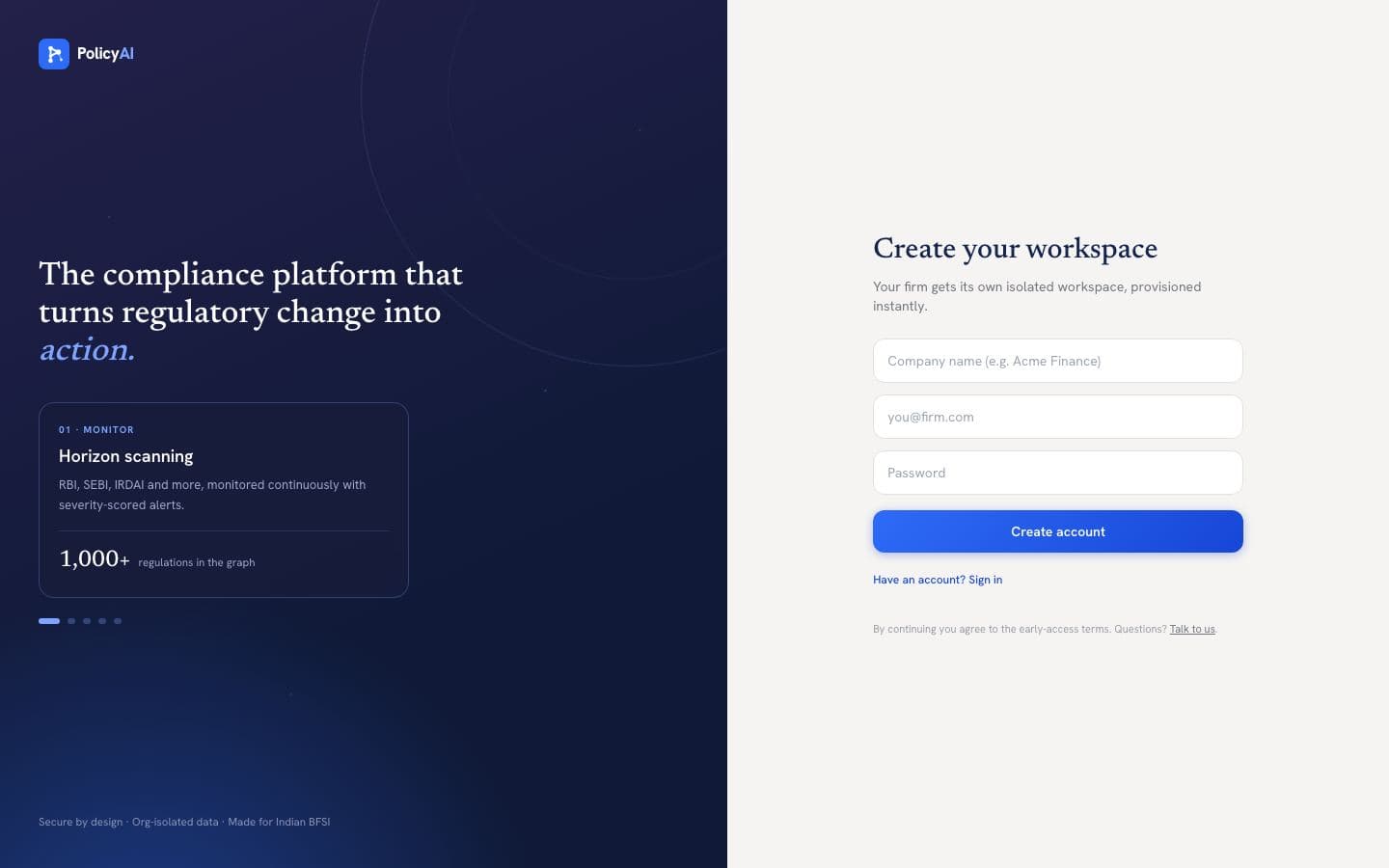
STEP 1Create your workspace
Sign up with your work email and company name; your workspace is provisioned instantly and you land in the app signed in. No confirmation-email dance, no sales call. If a teammate invited you, you join their firm's workspace automatically instead.
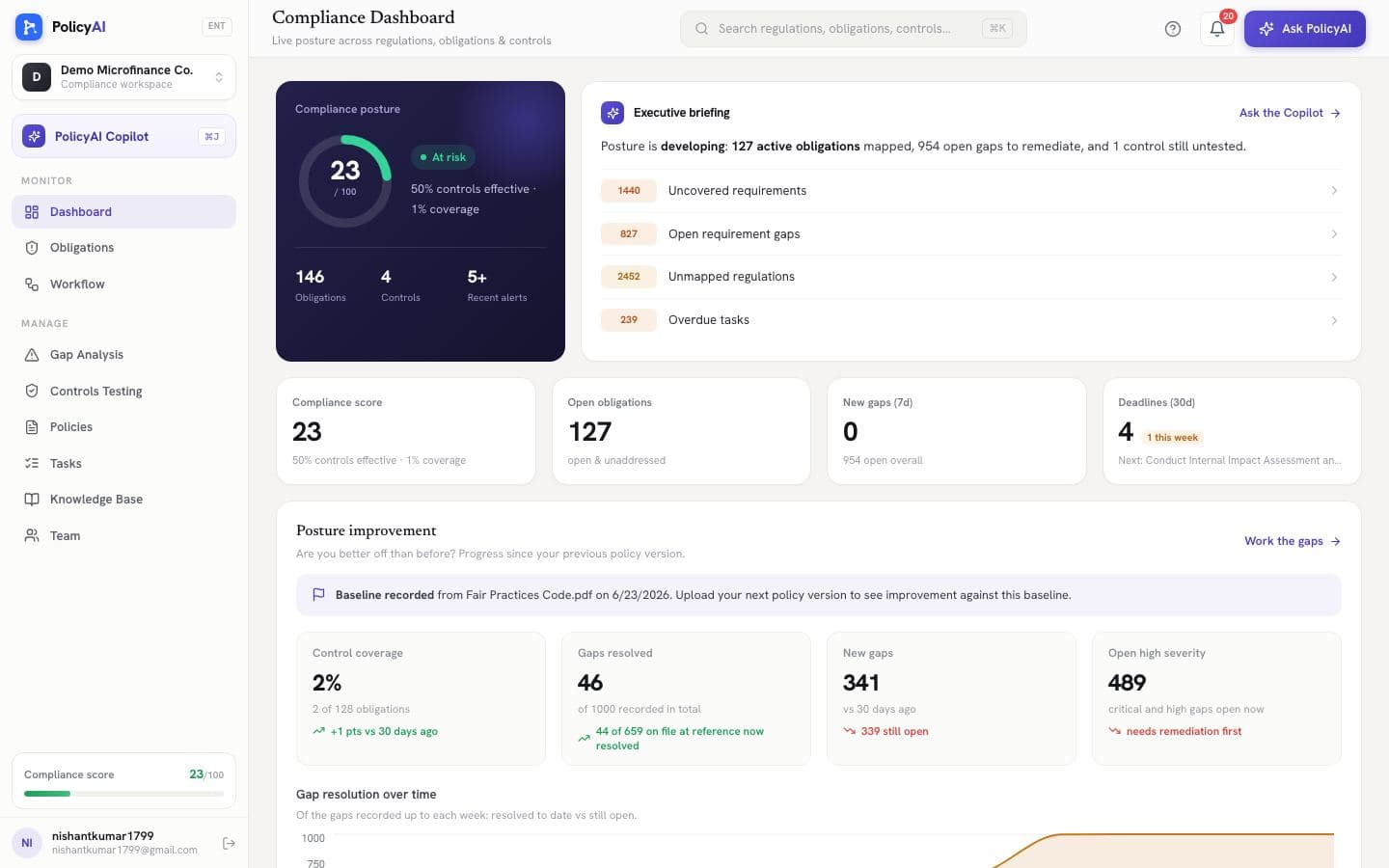
STEP 2Read the room in one glance
The dashboard opens on your compliance posture: a single score built from control effectiveness, obligation coverage and open gaps, an executive briefing in plain sentences, and the priorities that need attention first. Everything on this screen clicks through to the page where you act on it.
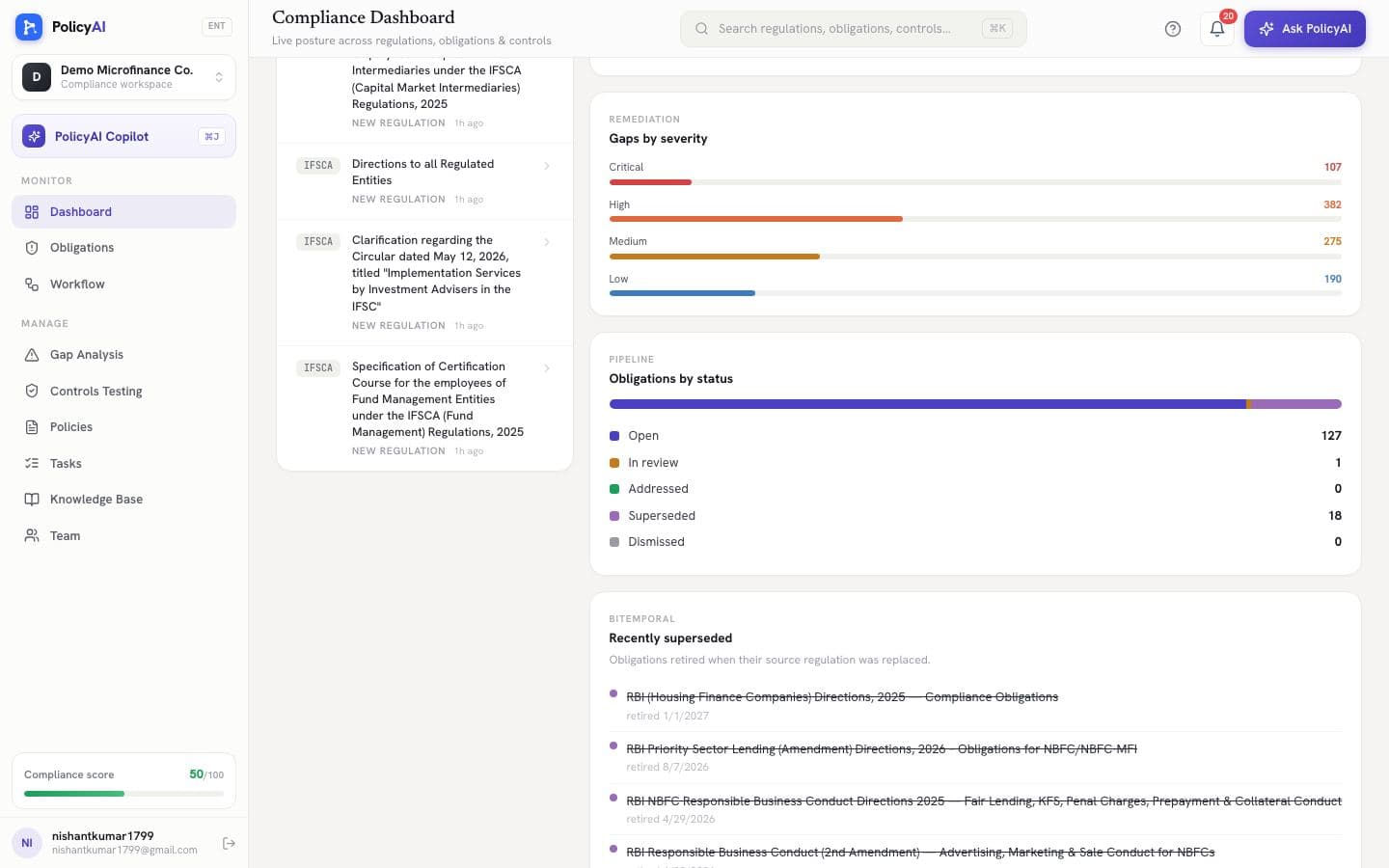
STEP 3Watch the horizon without watching it
PolicyAI's crawlers read RBI, SEBI, IRDAI, MCA, PFRDA, IFSCA, CERT-In, FIU-IND and more around the clock. Each new circular is scored against your business and lands in the Horizon feed as an alert, usually within minutes of publication. You can also trigger a scan on demand.
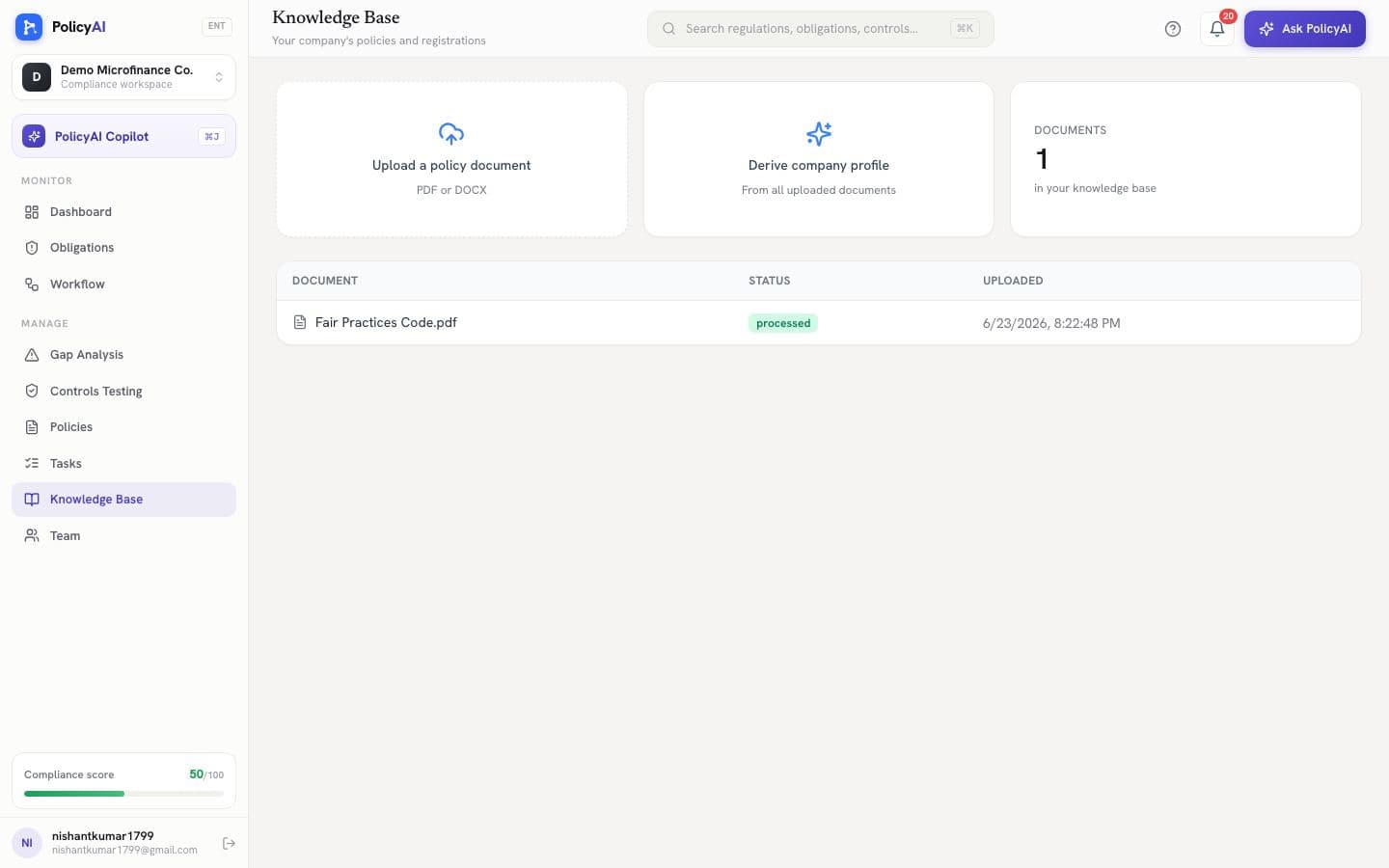
STEP 4Teach it your business
Upload your internal policies, registrations and licenses to the Knowledge Base. PolicyAI reads them to derive your company profile, which is what makes every alert, gap and answer specific to your firm rather than to a generic NBFC.
STEP 5Know exactly what binds you
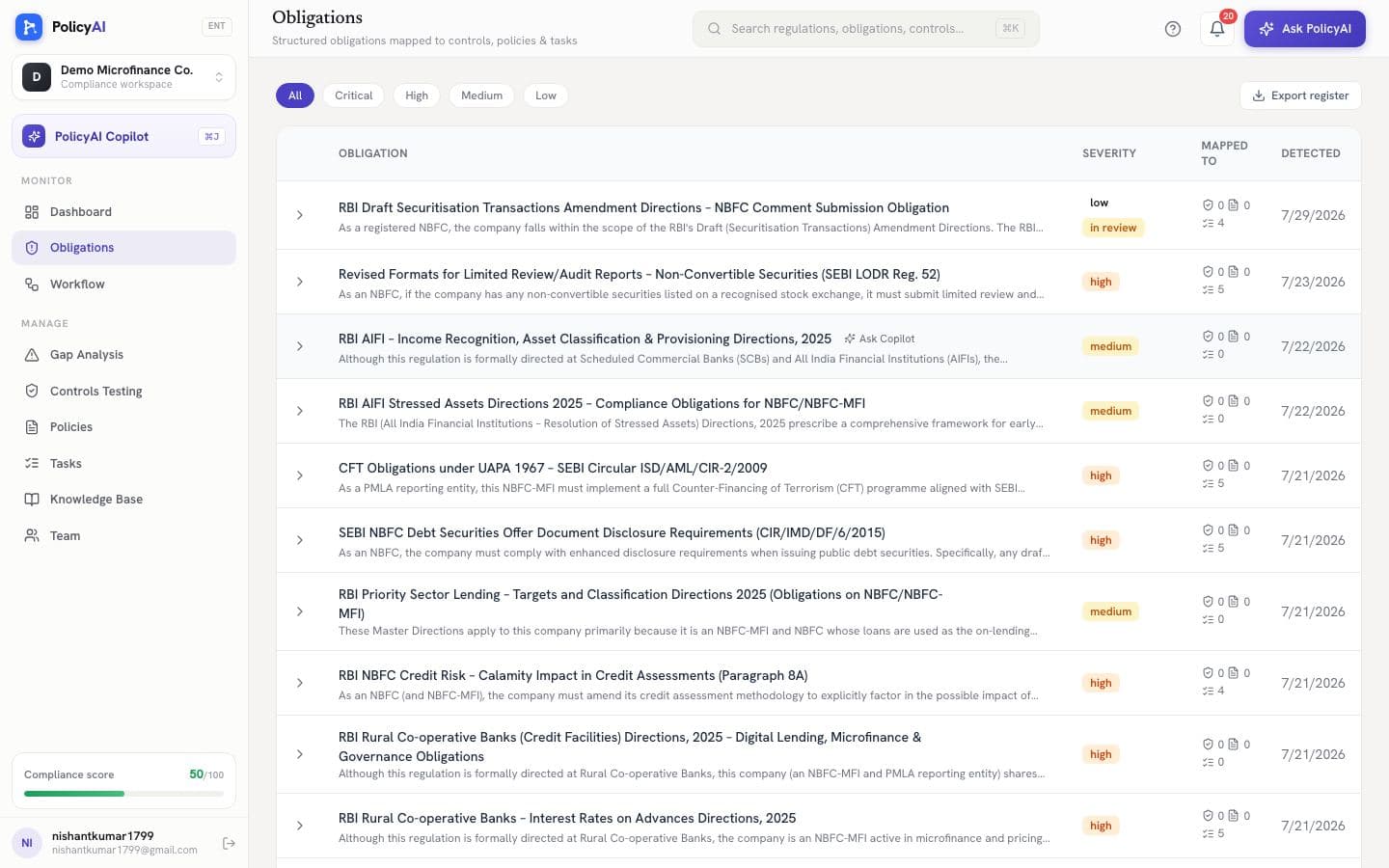
Each regulation that applies to you becomes structured obligations: what is required, how severe it is, the exact citation, the penalty exposure, and what evidence an auditor would ask for. This is the register everything else hangs off.
STEP 6Run the whole flow from one page
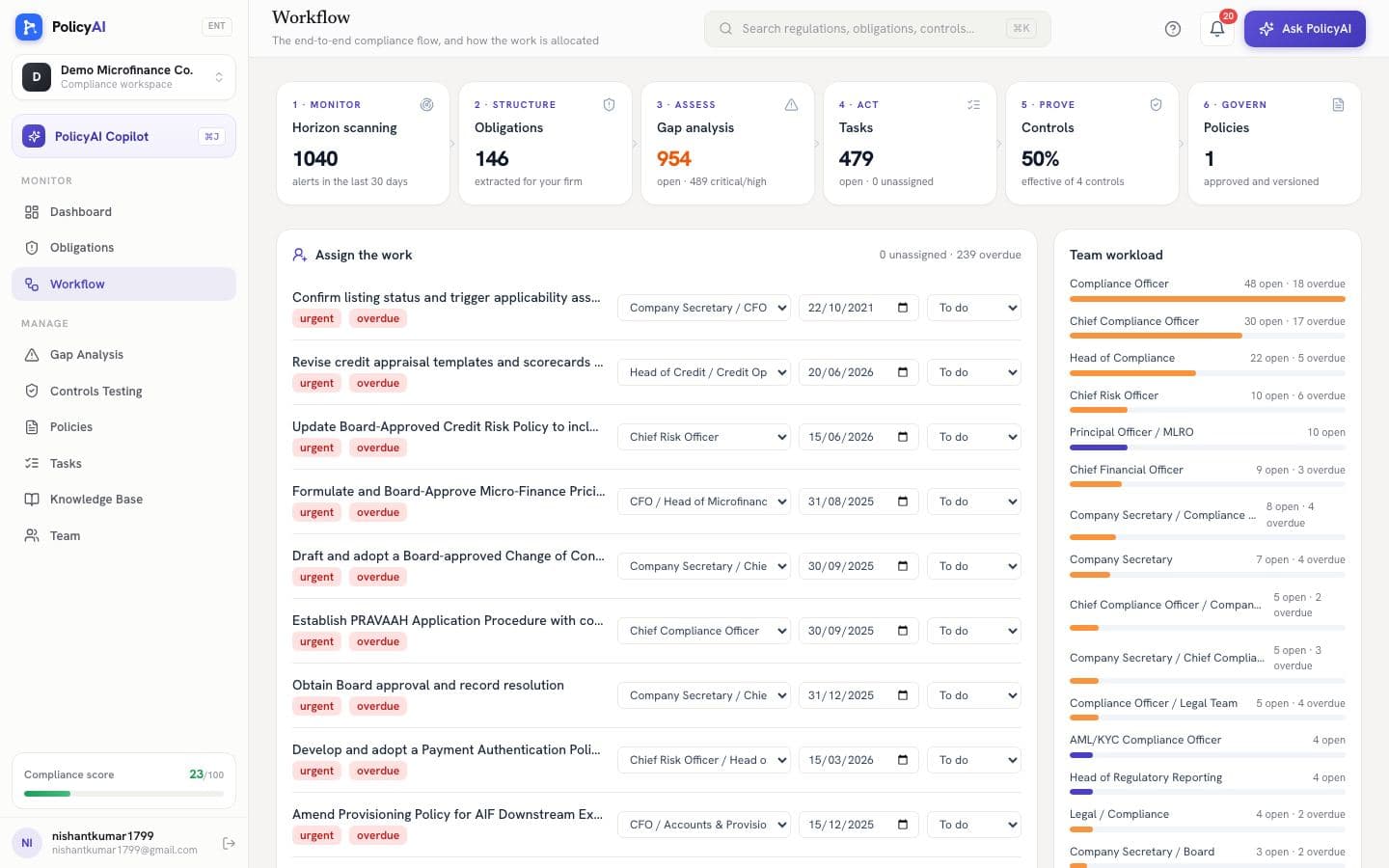
The Workflow page shows the entire journey as a live pipeline: monitor, structure, assess, act, prove, govern. Below it, the allocation queue surfaces unassigned and overdue work first, and you assign every task an owner and a due date without leaving the page. The workload panel keeps the split across your team visible.
STEP 7See what's missing before an auditor does
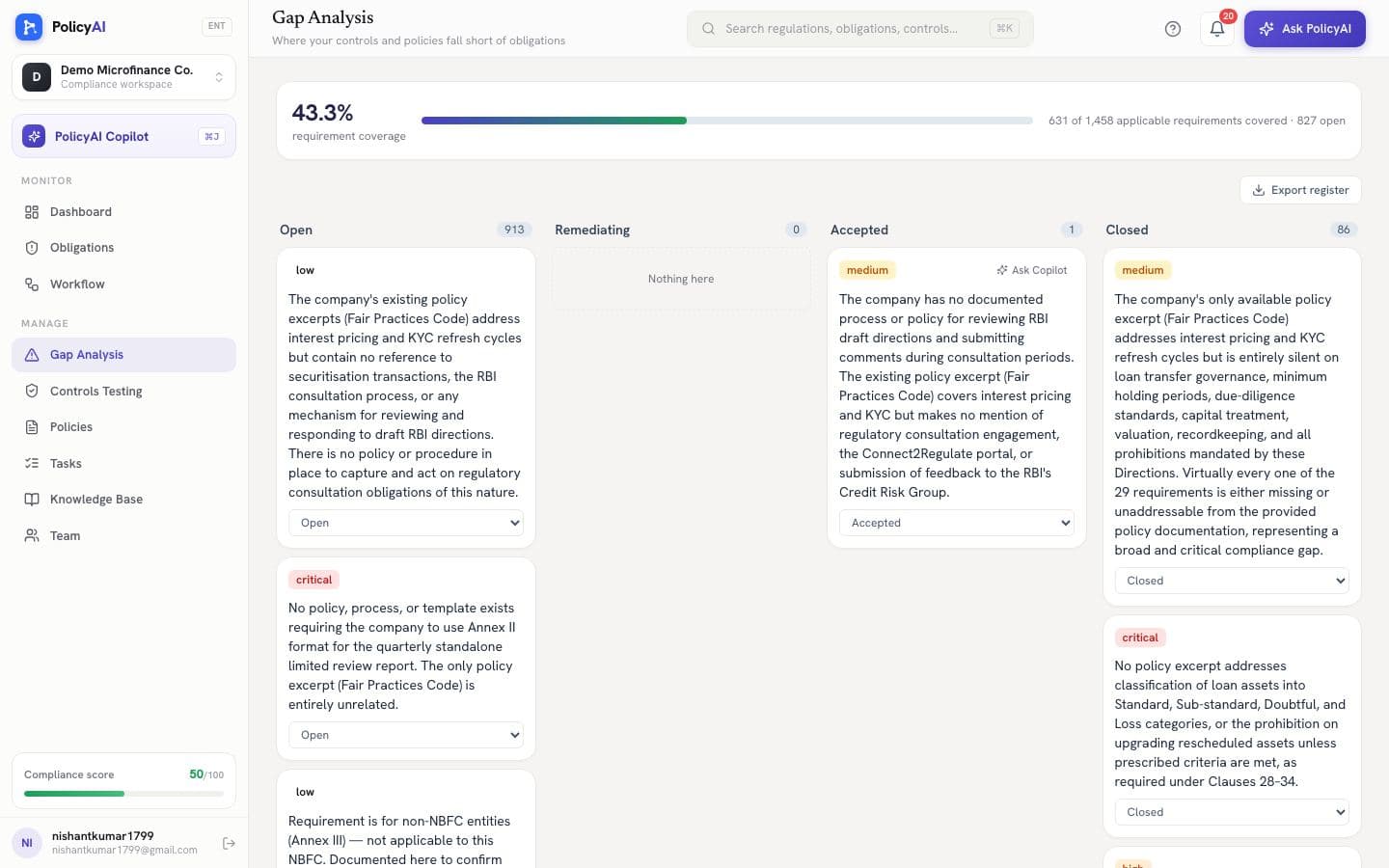
Gap analysis compares every requirement against your own policy documents and classifies the coverage: covered, partial, missing, or conflicting. Each card cites the exact policy passage (or its absence), and the board moves through open, remediating, accepted and closed.
STEP 8Prove your controls actually work
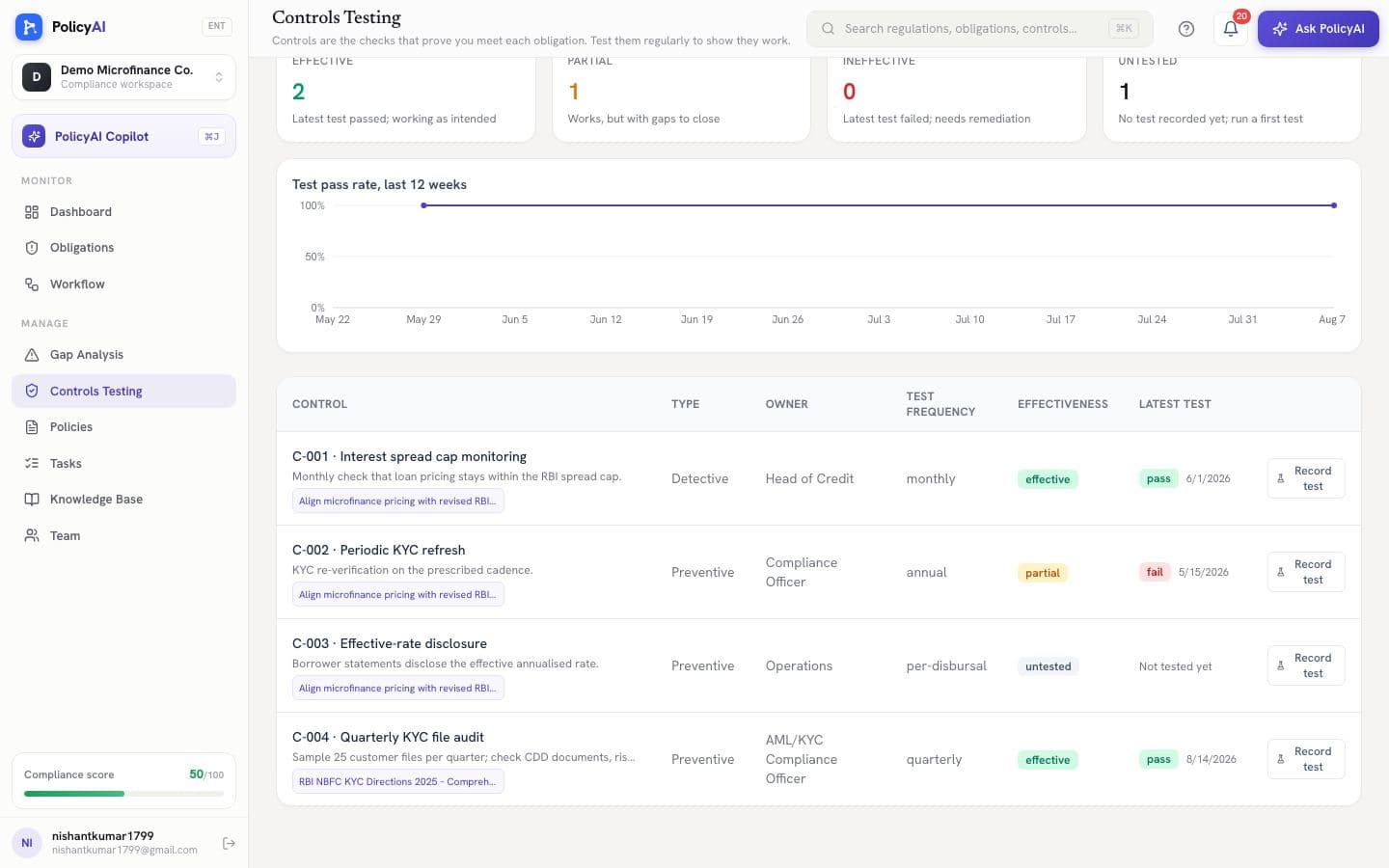
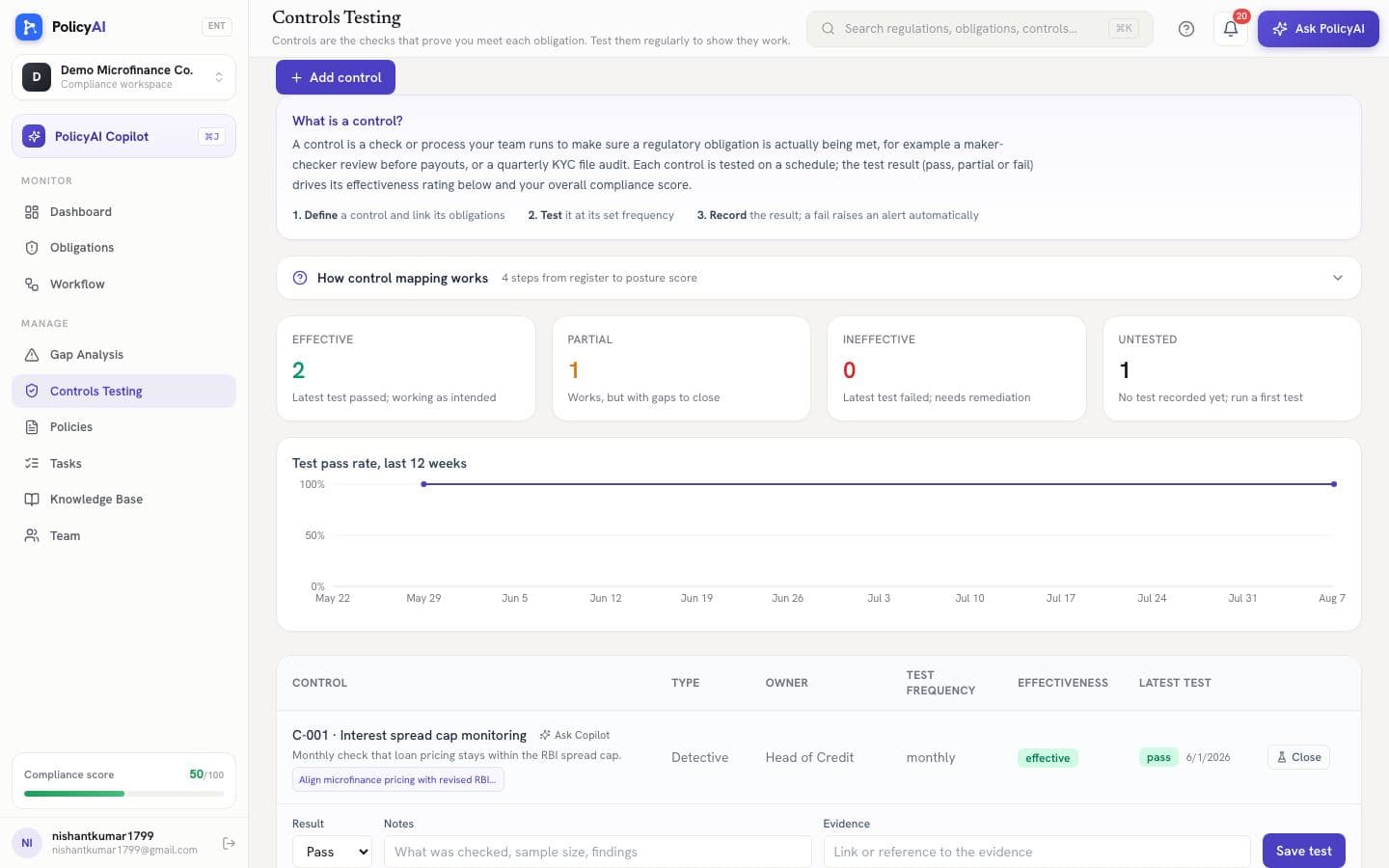
A control is the check that satisfies an obligation: a quarterly KYC file audit, a maker-checker gate before payouts. Define them here, link them to the obligations they satisfy, and record test results on schedule.
Don't know what controls you need? Tick the obligations and press Suggest with AI: the platform drafts audit-grade controls, each with the sample checked, the cadence, and the evidence produced. You review, pick one, set an owner, and create it.
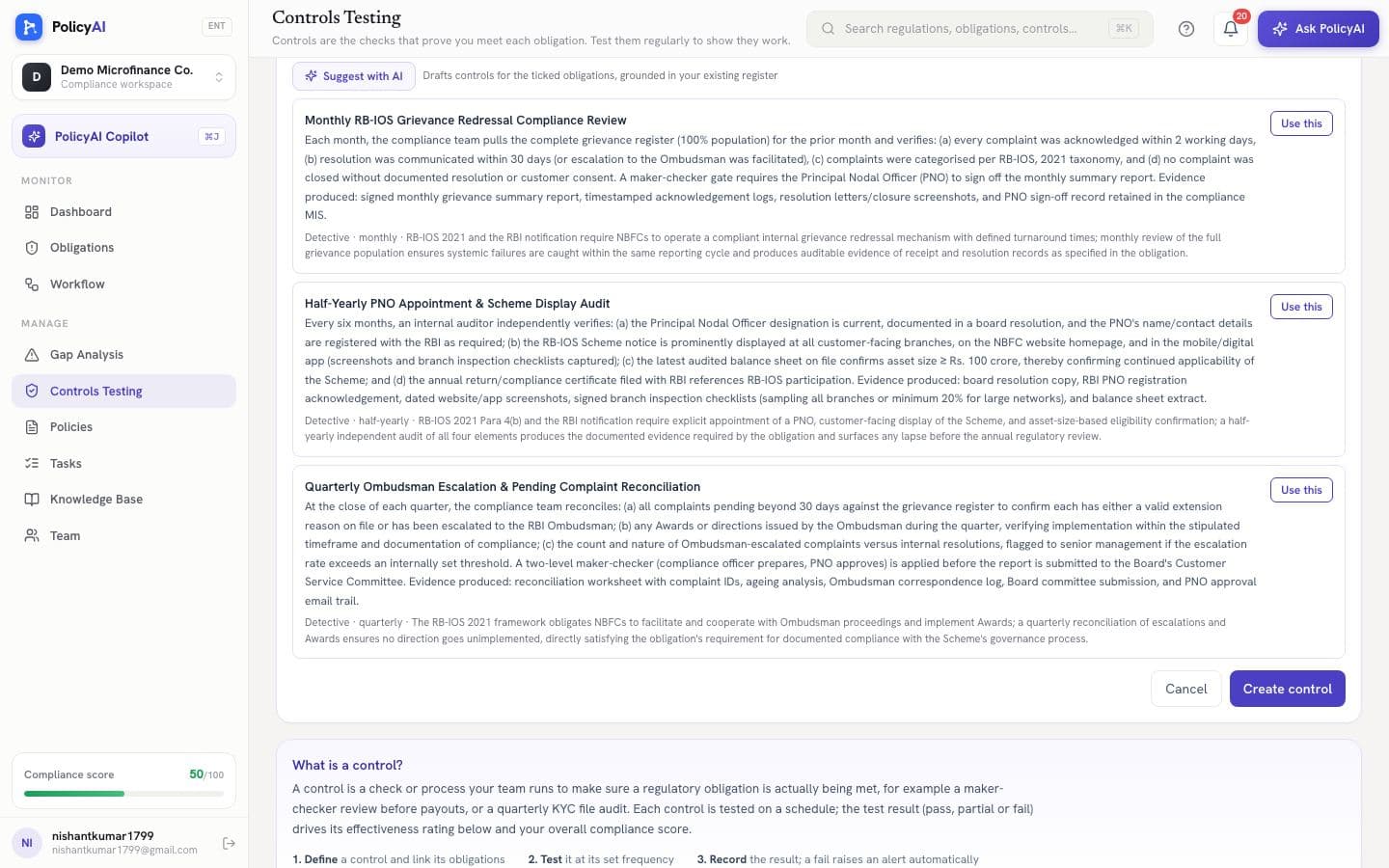
Recording a test takes one row: pass, partial or fail, with notes and evidence. A pass updates effectiveness instantly; a fail flips the control to ineffective and raises an alert on the dashboard automatically, before an auditor finds it for you.
STEP 9Keep policies governed, not scattered
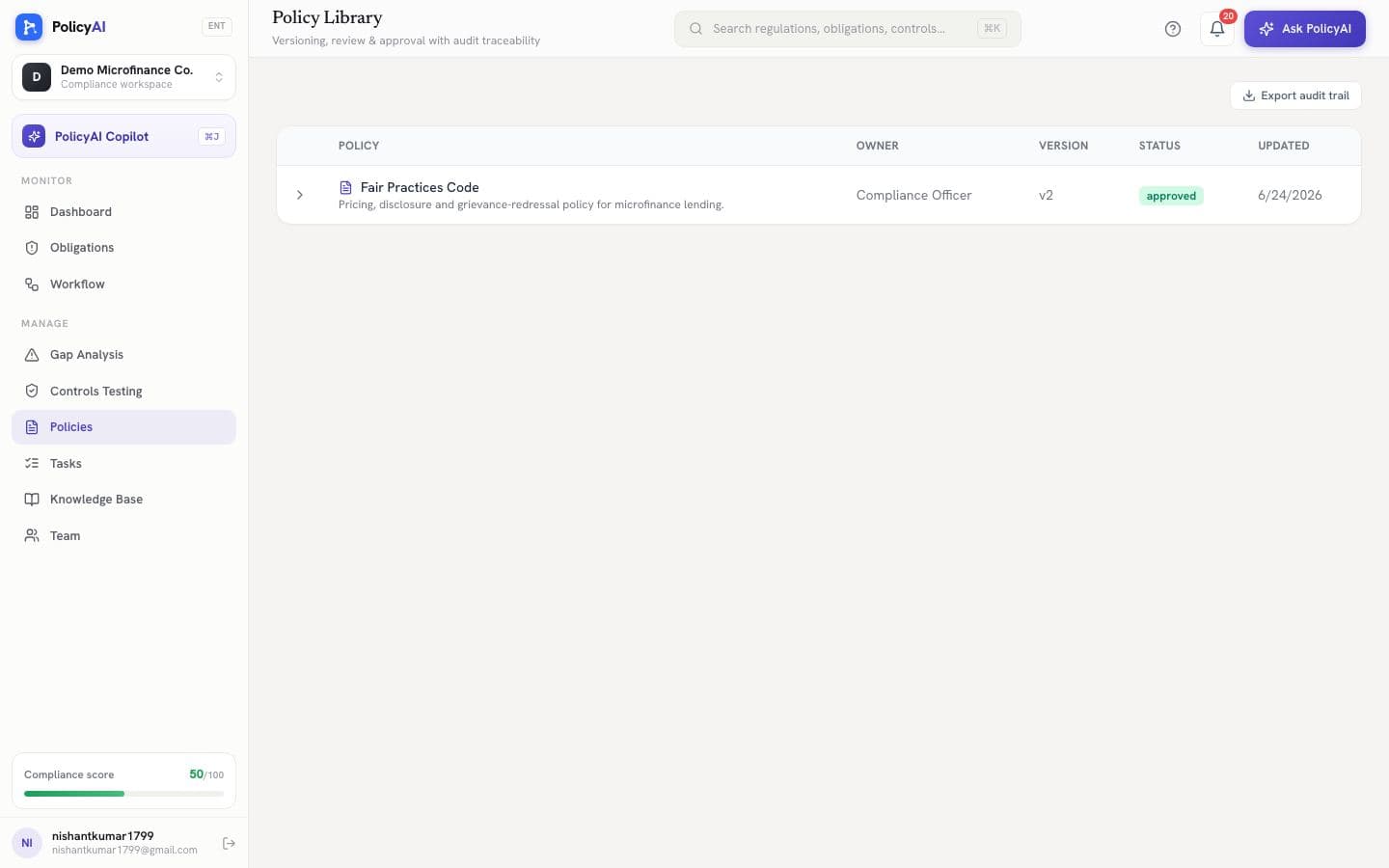
The policy library holds your internal documents with versioning, review and approval workflows, and an exportable audit trail, so “which version was in force in March?” has an answer.
STEP 10Track the work like work
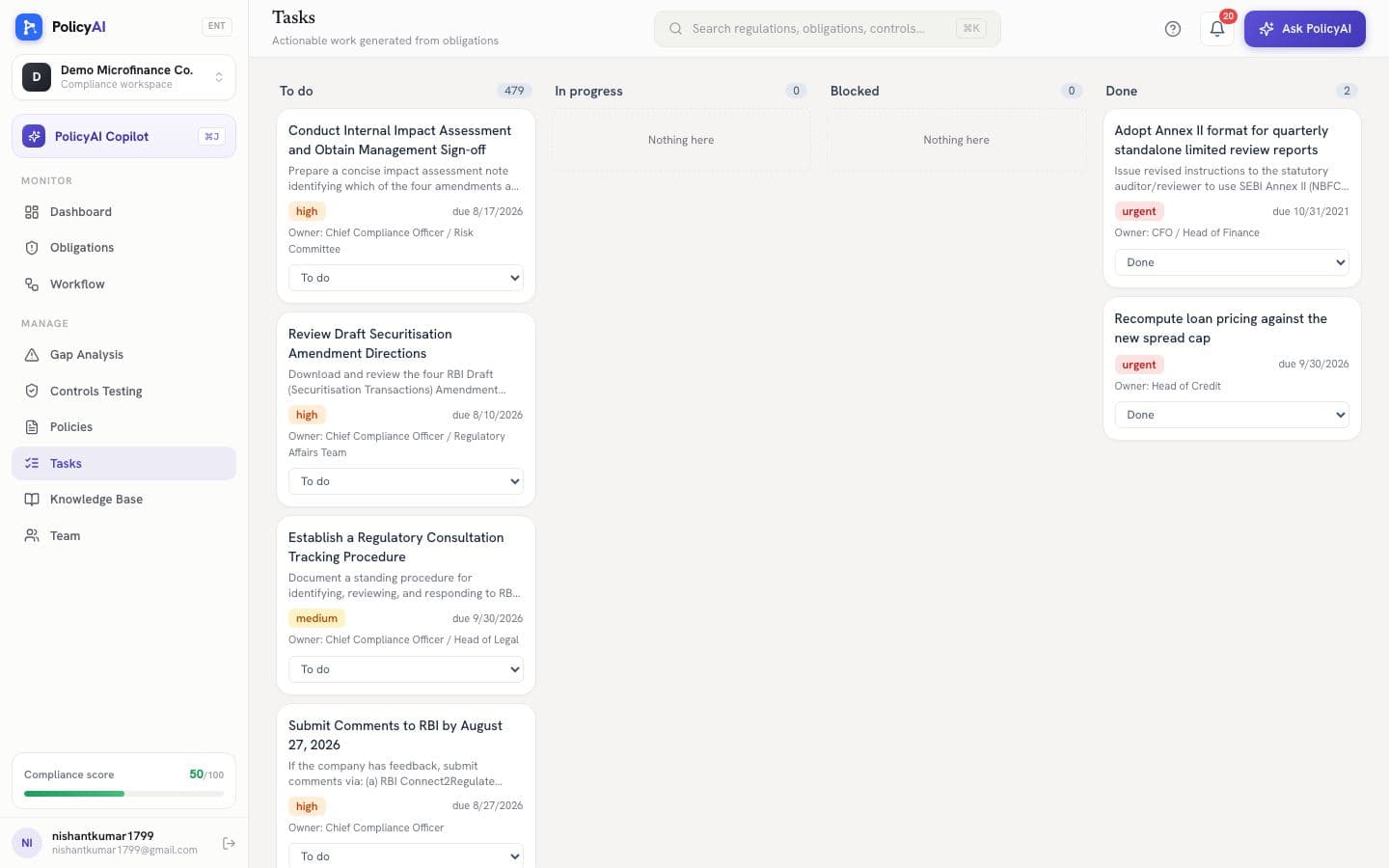
Every obligation generates concrete tasks with suggested owners and deadlines. The board view moves them through to-do, in progress, blocked and done; the Workflow page handles bulk allocation when the list is long.
STEP 11Ask anything, get a cited answer
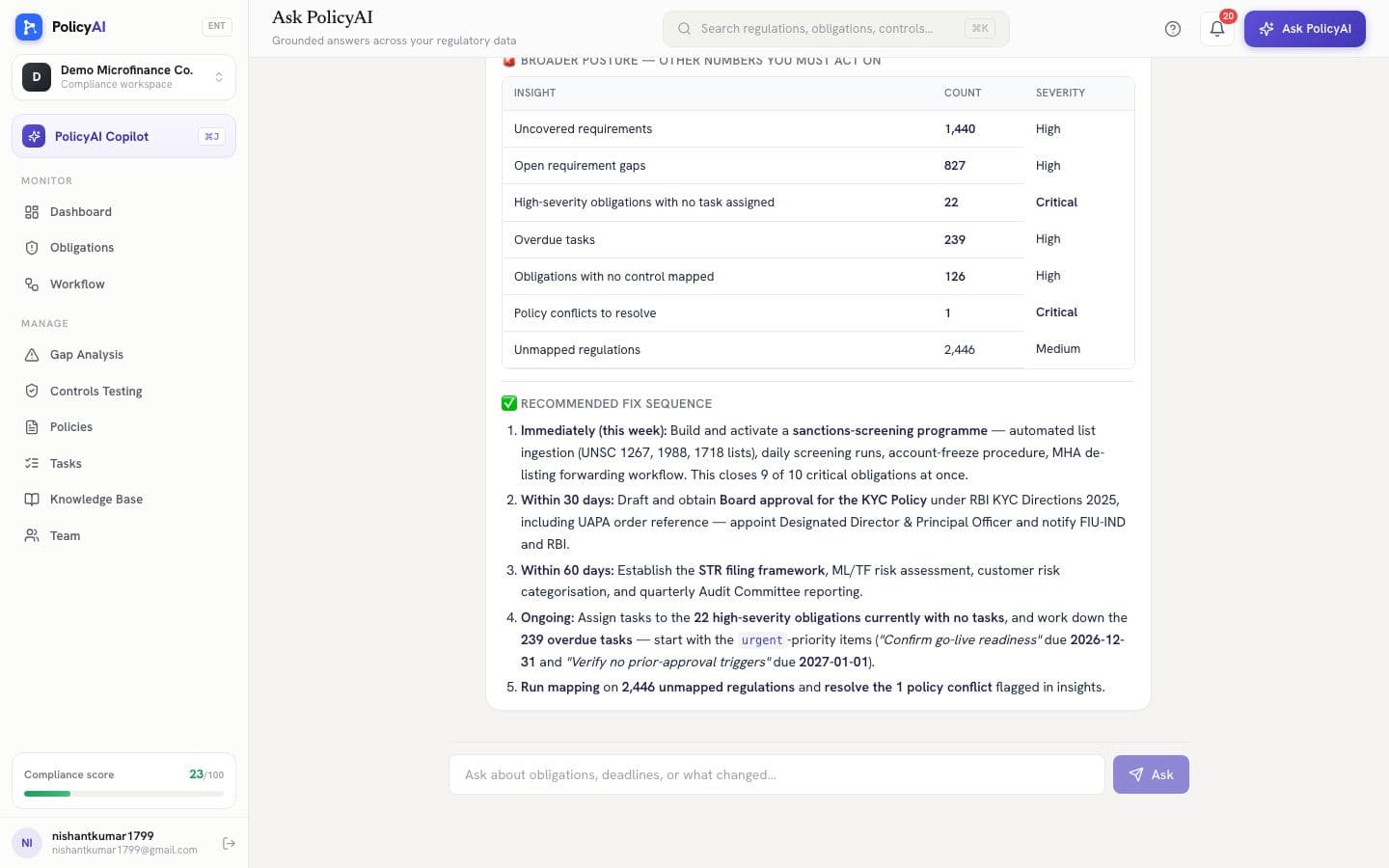
The Copilot answers questions across the regulation corpus and your own data together: “which gaps are critical?”, “what does the KYC master direction require?”, “how many tasks are overdue?”. Every claim is grounded in a tool call and cited back to the source, and it refuses to guess when the data isn't there.
STEP 12Bring the team
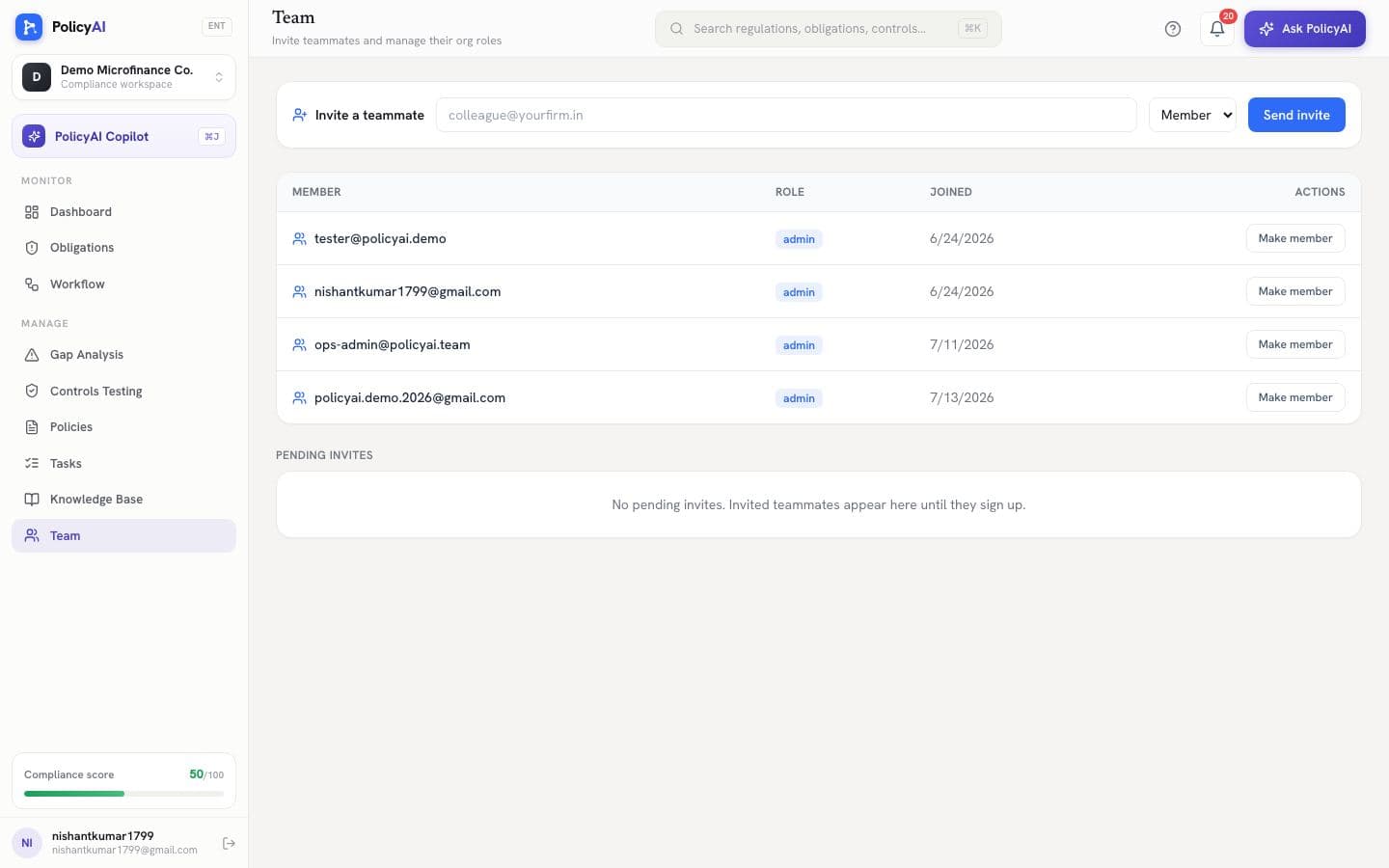
Invite teammates from the Team page; they join your org with the right role and appear as assignees everywhere immediately. Admins manage roles and pending invites from the same screen.
The loop, closed
That's the whole system: a regulator publishes, PolicyAI reads it, decides whether it binds you, drafts the obligation, opens the gap, assigns the owner, and tracks the control until there's evidence on file. Your team walks in each morning to a prioritized list with citations, and walks into each audit with the proof already attached.